

Let your Agent review and optimize model routing
When Codex limits feel tight or your primary model consumes too many tokens, ask your Agent to review a completed task: which stages needed the primary model, which routine steps used that allowance, and whether the primary model took over when a cheaper model struggled. HiRoute records model switches, decision evidence, stage assessments and usage. Your Agent can inspect them through the CLI and adjust routing toward your goal.
This guide connects the steps after a substantial task: inspect records → extract useful cases → tune decision prompts or trust → validate on new tasks after publication. The aim is to complete more verified work with your primary-model allowance. Judge the result by quality, completion time and cost together.
New to routing? Start with Codex setup or smart model routing. The prompt and trust controls here apply to difficulty routing with a built-in decision-model connection. Heuristic rules produce no competence scores; custom extensions own their group-selection logic.
1. Enable the management Skill and choose a completed task
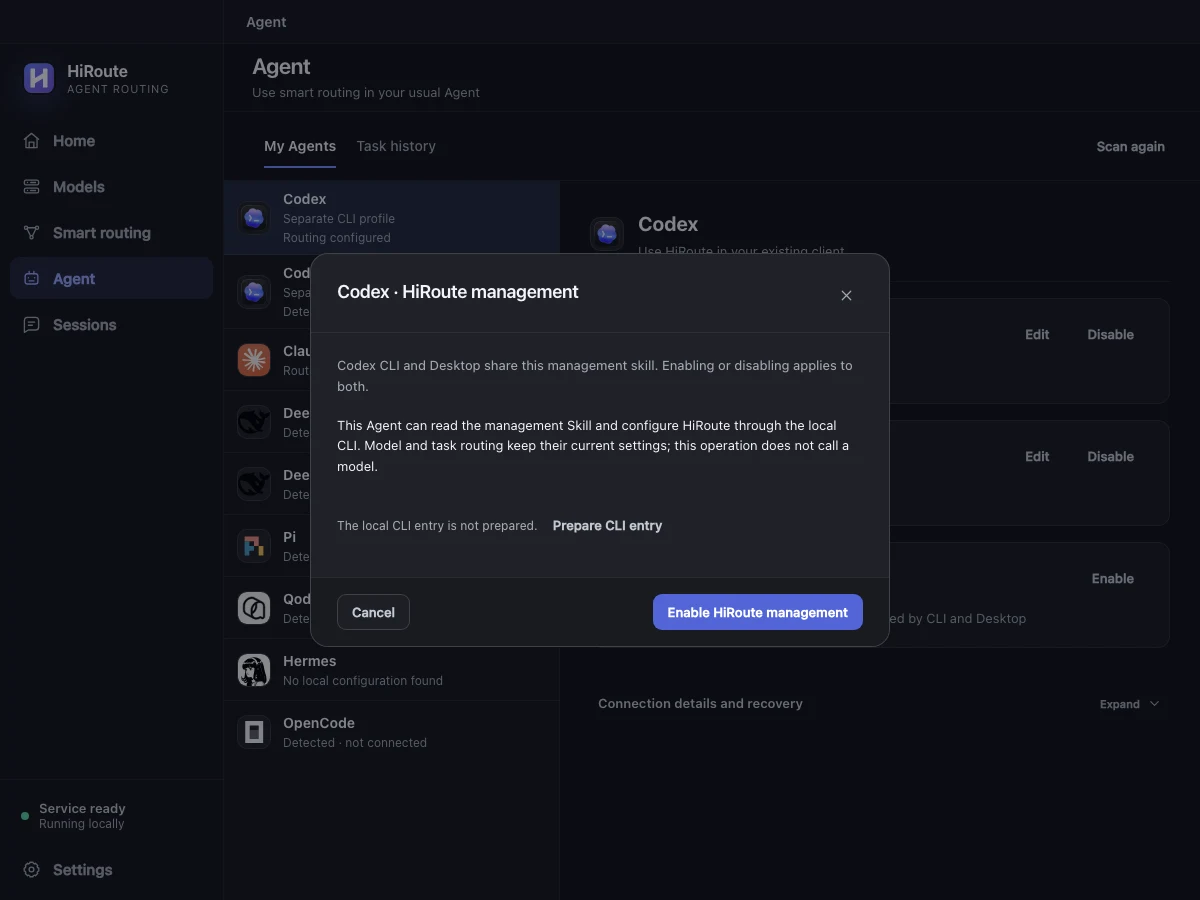
Open Agent → your usual Agent → HiRoute management and enable the management Skill. Prepare the CLI entry and reload Skills or start a new session as prompted. The UI and CLI connect to the same HiRoute service, so you can inspect the configuration and execution records your Agent uses.
Choose a completed task with a clear acceptance result, such as fixing a defect and adding regression coverage. Start with:
Use the HiRoute management Skill to review this completed task. Check each model switch, the stages handled by the primary model, problems encountered by the cheaper model, tests and my feedback. Give me the three most useful improvements, with supporting records and a way to validate each one.
To find representative problems from a week of work, start with this read-only entry, then use installed help to scope the actual route or sessions:
hiroute sessions list --view switches --period 7d --output json
Reuse the returned analysis_scope for related cost and content reads. Keep the same scope and follow next_cursor; the first page is not the full history. Do not add totals from different scopes. See the CLI analysis guide.
2. Find useful cases in the routing timeline
Open Sessions → Routing timeline and select a stage. Inspect the decision made at that time, the model that executed it and the later assessment. Open the conversation when you need task context. Your Agent can connect the same facts through CLI records.
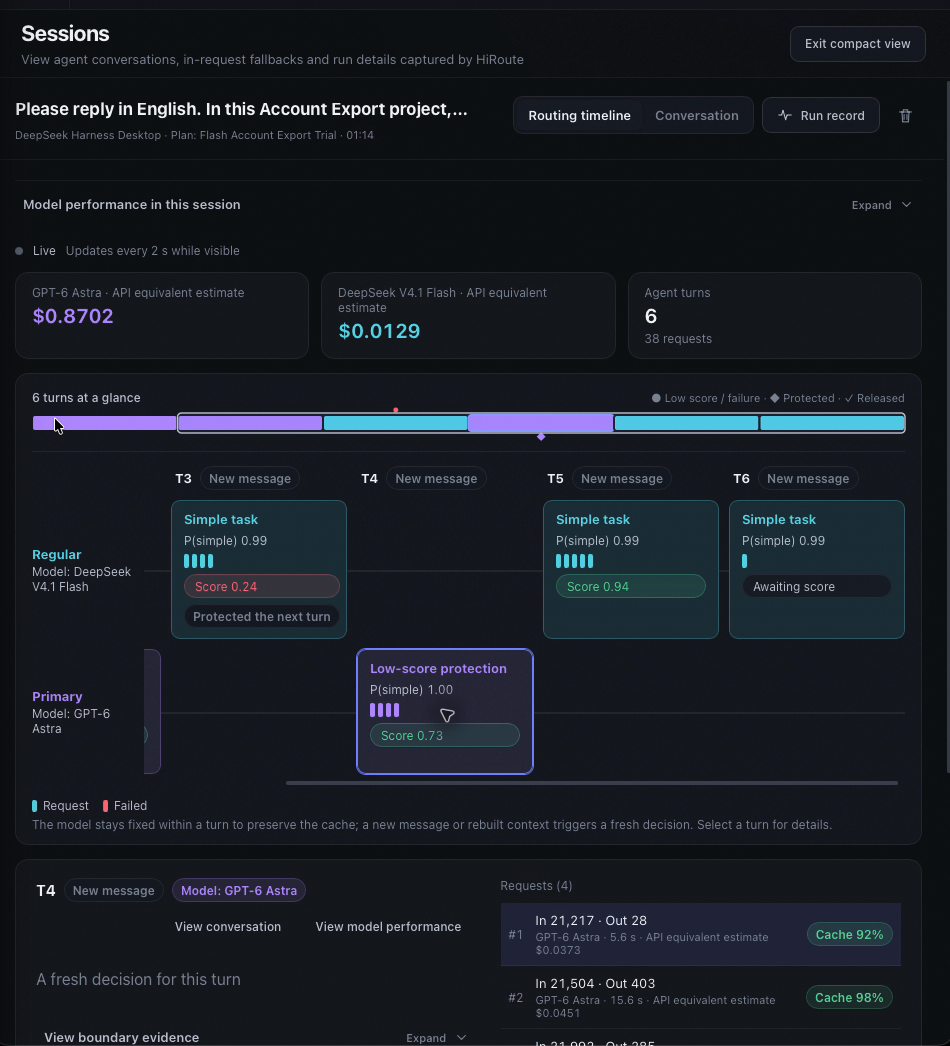
Separate why the choice was made, what the model actually did, and how it was assessed later. A later score was not evidence available at selection time. A switch caused by low-score protection may be a correct takeover.
| What you observe | Check first | Possible improvement |
|---|---|---|
| Primary keeps adding local regression tests after the solution is settled | Unresolved root cause, cross-module impact or active low-score protection | Describe bounded work with an established solution in the difficulty prompt |
| The cheaper model repeatedly edits but still fails acceptance | Complete assessment, relevance to the next stage and protection activation | Clarify failure/rework criteria and inspect evidence available to the decision model |
| Concurrency isolation or resource lifetimes are treated as routine | Whether the judgment relies on file counts or keywords | Describe the project's difficult boundaries and risks |
| The cheaper model consistently completes several kinds of work | Multiple sessions and adequate assessment coverage | Replay higher trust, then validate on new tasks |
| Cost is high without an obvious routing problem | Retries, long context, tool round trips, caching and delegation | Review the execution approach; consider cross-Agent delegation |
For each case, retain the task and acceptance goal, session/stage, model and criteria at execution time, key feedback, outcome and reason for the proposed change. Include successful examples to identify rules already working well.
Unrated is not a zero score, and missing content does not prove wrong routing. Gather more evidence when the records are insufficient.
3. Tune difficulty prompts and competence criteria separately
Open the target route for editing in Smart routing, then expand Judgment settings. The two sets of prompts answer different questions:
- What counts as simple or complex: which group fits the current stage?
- How competence is assessed: how well did the previous stage perform? This includes assessment instructions and the 0 / 0.5 / 1 criteria.
Ask the Agent to turn cases into concise project rules with observable conditions. These engineering-maintenance examples are starting points to validate against your own records. Put difficulty rules into the corresponding Decision instructions, Simple tasks and Complex tasks fields; place assessment instructions and each score criterion in their respective fields.
Example difficulty instructions:
Judge the problem to solve in the current stage. Rust, a long file, or the word "refactor" alone does not make a stage complex.
Routine: locate known symbols, organize already-found evidence, or implement a local change/regression test when the root cause, solution and boundaries are established.
Complex: unexplained cross-module defects, concurrent-request state isolation, memory ownership or resource lifetimes, protocol compatibility, or a choice between competing designs.
Adding tests is complex if it still requires deriving concurrency schedules or correctness boundaries. After primary completes diagnosis, assess later bounded work on its own difficulty instead of inheriting the whole task's complex label.
Example competence instructions:
Assess the goal promised for the previous stage and cite visible evidence. Do not penalize an investigation-only stage for not implementing code. If the stage promised delivery, check that acceptance was completed.
0: Clear evidence that a key goal failed, the fix was ineffective, or a relevant regression was introduced and still needs work.
0.5: Some goals completed, but an important known omission or rework remains.
1: The stage goal was met, relevant acceptance evidence supports the conclusion, and known issues were resolved or handed over as agreed.
When test results are absent, records are incomplete or the conclusion cannot be checked, identify insufficient evidence. "No error observed" is not acceptance. Distinguish user feedback about an unmet requirement from a new requirement.
Keep acceptance standards intact. Code tasks still need relevant tests; UI tasks that require actual interaction still need Computer Use acceptance; keep human involvement in consequential design decisions.
A decision model can assess only the history it receives. HiRoute's built-in judgment does not directly send tool arguments or tool-result bodies to the decision service. Ask the execution Agent to truthfully summarize acceptance commands, results and unresolved issues in its stage-ending response. A prompt cannot supply missing evidence. See decision models and routing.
4. Replay trust before giving the cheaper model more work
When the criteria are suitable and regular-model performance is stable, consider Trust · how much goes to Regular. Moving right lowers the simple-probability threshold, allowing more stages to go to Regular. It is neither a fixed allocation ratio nor a probability of execution success.
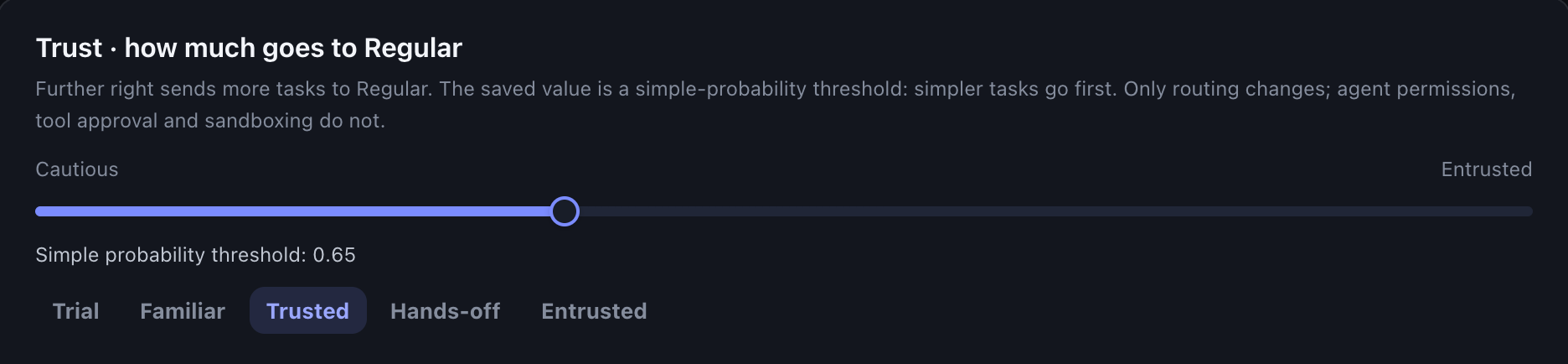
When editing an existing route, Replay this setting on your records estimates allocation from the active publication's last seven days. The CLI can also compare candidate thresholds:
hiroute observation plan-trust replay --plan-id PLAN_ID --revision active --thresholds-millis 800,700,600 --output json
Replace PLAN_ID with the actual ID. Here 800, 700 and 600 mean 0.8, 0.7 and 0.6; they are examples, not recommended values. CLI scope follows the request and returned bounds, not automatically the UI's last seven days. Keep revision, interval and branch consistent when comparing.
Replay uses recorded judgments without model calls. It estimates how old stages would be allocated at another threshold. It does not rerun a new decision prompt or prove that the cheaper model would succeed on newly assigned work. Collect new records after a prompt change.
The simple-probability threshold and competence floor are different controls. Applicable low-score protection remains when trust rises. Trust does not change Agent permissions, tool approvals or sandboxing. Keeping the current setting is reasonable when evidence is sparse; Try a new model explains the built-in suggestion criteria.
5. Publish one small change and validate on subsequent tasks
Ask for a reviewable change, such as adding a concurrency condition to the difficulty prompt, or keeping prompts fixed and trying a neighboring trust preset. Change one kind of factor at a time so you can understand the result.
When application is authorized, have the Agent follow the management Skill to preserve the complete Plan and recovery material, inspect routing preview, then publish with routing apply. In the UI, use Publish changes; saving a draft does not alter the active route. Preserve unrelated model candidates, reasoning settings and configuration.
Record the publication version and compare subsequent similar tasks:
| Dimension | What to inspect |
|---|---|
| Delivery quality | Tests, Computer Use or human acceptance; rework and unresolved issues |
| Primary use | Stages sent to Primary, low-score protection and appropriate returns to Regular |
| Completion time | End-to-end delivery, including failures, retries and acceptance |
| Usage and cost | Input, output, cache and price coverage; measured and unmeasured decision/review overhead |
Use hiroute value show to help account for cost. API-equivalent estimates compare model usage; they do not directly measure Codex weekly allowance savings or a reduction in the subscription bill. Missing prices remain unknown. The review itself consumes Agent tokens, so begin with summaries and exceptional stages, then read the relevant conversation when needed.
Try this at the end of a substantial task:
Use the HiRoute management Skill to review this task. Briefly report quality, completion time, model switches and cost. If the evidence supports a change, propose one prompt or trust improvement and explain how to validate it next time. Keep the current settings when evidence is insufficient.
Frequently asked questions
What should I change first when Codex weekly limits feel too tight?
Look for primary-model use on well-defined routine stages, then inspect rework, unproductive tool round trips and repeated context transfer. Model routing changes how you use the allowance; HiRoute does not increase subscription limits. To add other models, see Codex model routing and Qoder model access.
Does the Agent automatically learn and rewrite decision prompts?
Not by default. It can read records, extract cases and propose changes, then apply them through the management Skill when authorized. HiRoute's built-in trust suggestions do not publish automatically either. Agent-led review still needs a defined goal, scope and acceptance criteria.
Does a prompt change recalculate historical scores?
No. Historical records retain their original configuration and criteria. Threshold replay does not ask the decision model to reassess them. Evaluate a published prompt change on new tasks.
Can I simply increase trust in the cheaper model?
You can test that as a separate change, after checking judgment quality and score coverage. If concurrency work is being underestimated, increasing trust may expand that mistake. Correct the specific judgment condition first and validate the result.
Next: Smart model routing · Try a new model · CLI analysis and recovery · Cross-Agent delegation