

Pi coding agent model routing: reuse your models and route by difficulty
Select a HiRoute route in Pi's /model picker and keep your usual tools. Give file reading and symbol searches to an economical model, switch to a primary model for work across modules, and ask Codex CLI for an independent check.
Download HiRoute · Browse Agent guides
1. Scan or sign in to get models · 2. Configure smart routing · 3. Connect your Agent · 4. Explore task delegation
1. Scan or sign in to get models
Open Models → General models → Add models → Scan this device and find your Pi sources. HiRoute reads supported models.json declarations, API key sources and recognized installed model catalogs. Select a connection, check it and save the models you want.
If a runtime plugin provides an API address and key, enter them under New API connection, check the connection and save. You can also import Codex or Claude Code models through Connect subscription, or connect Qoder models through Magpie.
2. Configure smart routing
- Open Smart routing → New smart routing, name the plan “Pi daily coding” and choose Difficulty routing.
- Click Add model in Regular models and choose a fast or economical model from step 1 for reading files, finding definitions and gathering facts.
- Add a model to Primary models for complex analysis, planning or changes across several files. Combine available models from different subscriptions, APIs or local connections as needed.
- Start with Heuristic rules under Decision method, then click Enable. The published route becomes available in the Agent settings in the next step.
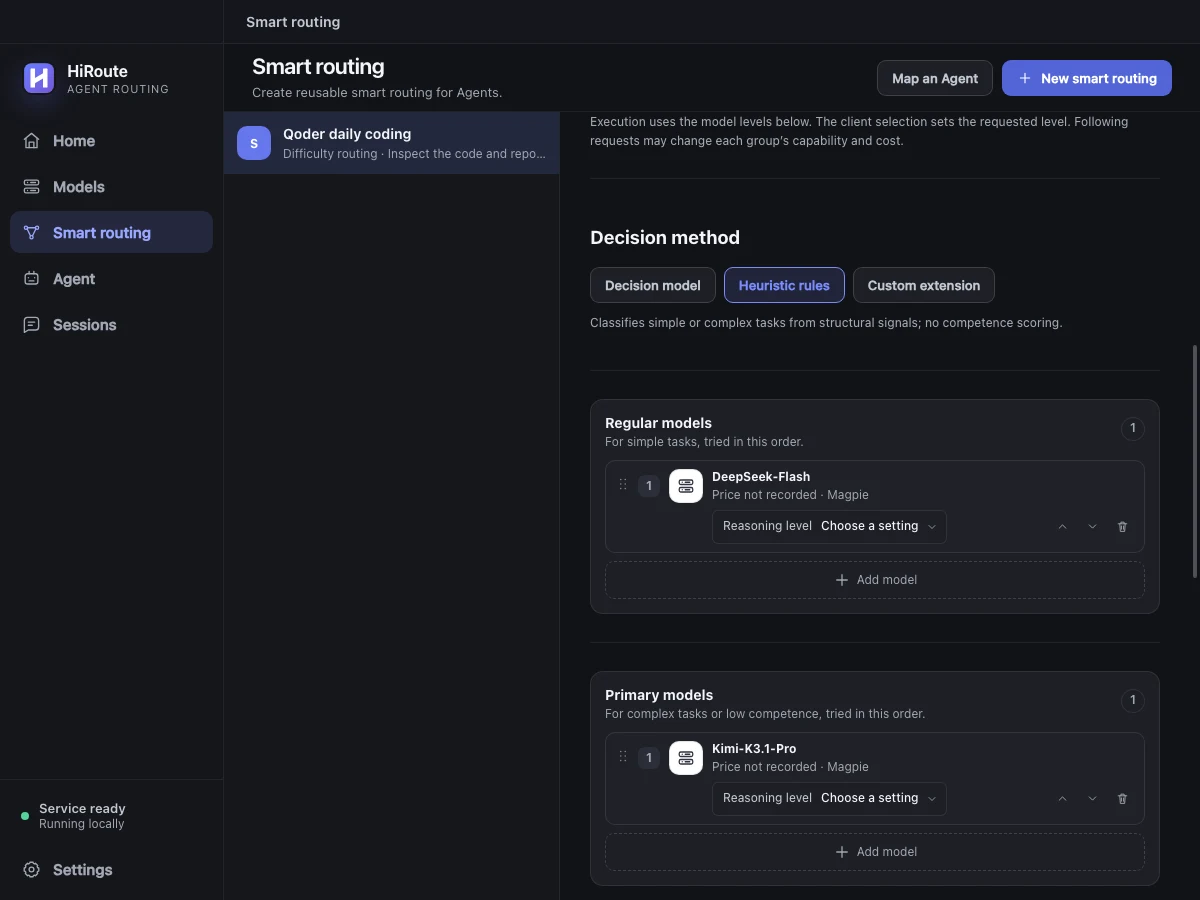
To adjust routing using execution feedback, select a decision model in the same section for stage scoring and low-score protection. Learn about difficulty decisions
3. Connect your Agent
Open Agent → Pi → Model routing, check “Pi daily coding”, choose a protocol supported by your models and save.
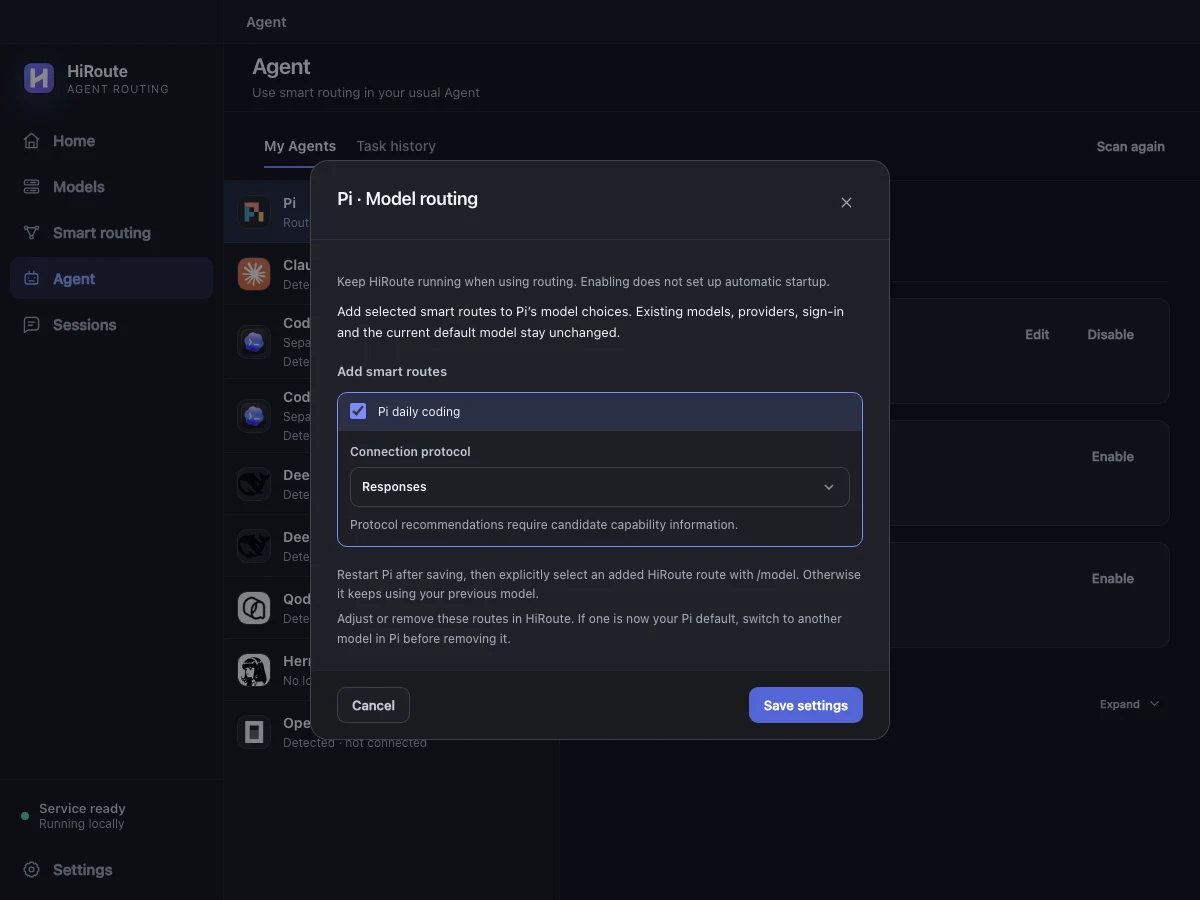
Restart Pi, type /model and select the new HiRoute route. Ask it to find a function's callers, then inspect the model choices in Sessions → Routing timeline in HiRoute.
4. Explore task delegation
When your main Pi chat uses a primary model for design work, send test discovery and call-site searches to a separate lightweight Pi route. Let the economical model handle file reads and searches, then use the short index in the main chat. For a larger implementation, you can also choose a route bound to Codex CLI.
Create a Fixed model route called “Pi quick search”. Under More settings → Task delegation, allow delegation and choose Pi, describe its purpose and enable it. Turn on Task routing in the main Pi entry.
Use HiRoute to delegate test discovery for this function to “Pi quick search”. Return the test files, case names and behaviors covered.
Check the main chat and delegated task separately to see which models they use and how much each consumes. Set up a lightweight Pi executor