

Claude Code API credits and subscription routing
Connect your Claude subscription and the Claude API organization that received your credits. Put both sources for the same model in one route so the subscription and API credits can back each other up. Select the route through a familiar Opus, Sonnet or Haiku preset in Claude Code.
Download HiRoute · Browse Agent guides · Use your Claude Code subscription API credits
1. Scan or sign in to get models · 2. Configure smart routing · 3. Connect your Agent · 4. Explore task delegation
1. Scan or sign in to get models
Import the models from your Claude subscription into HiRoute.
- Open Models → General models → Add models → Connect subscription.
- Click Sign in on the Claude Code card. Authorize with your Claude account in the browser, then return to HiRoute.
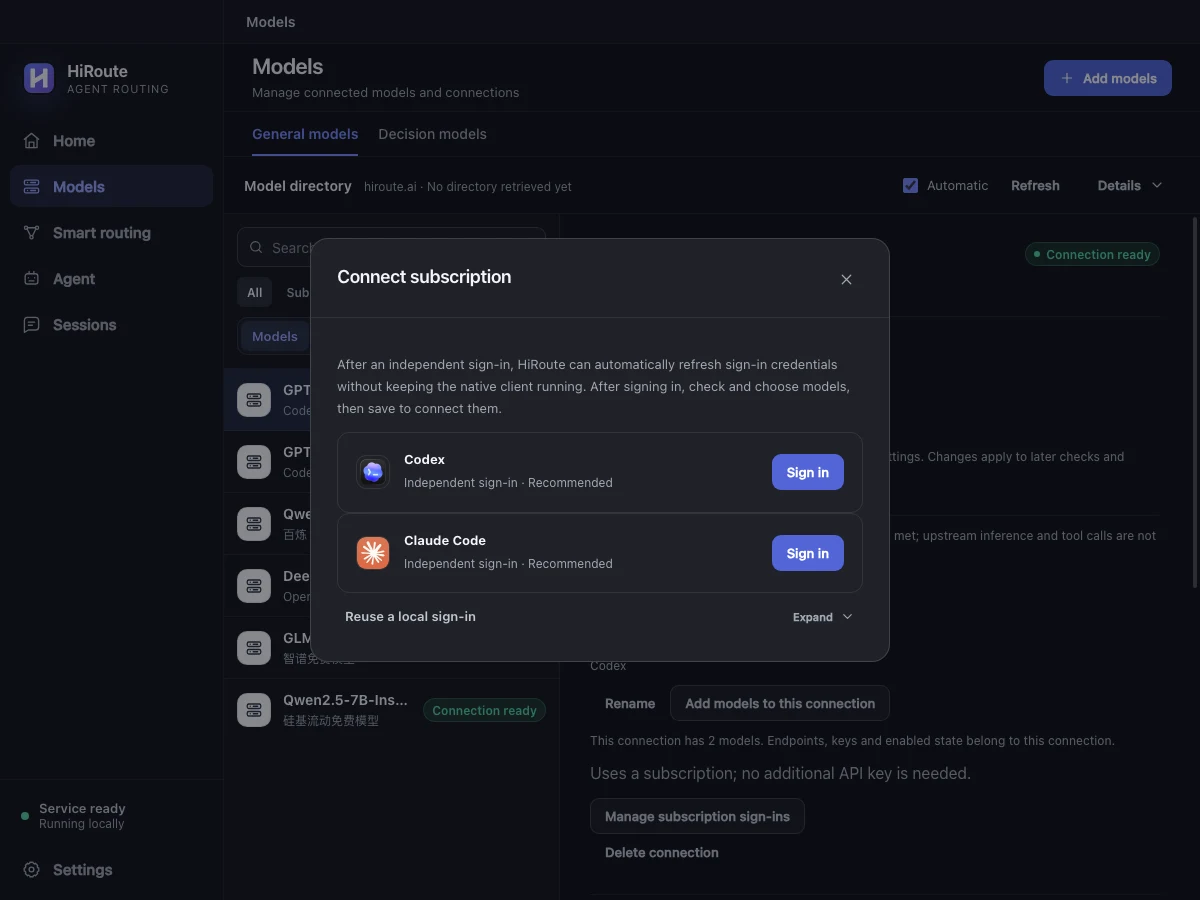
- Click Check and choose models, then Check subscription to load the models available to your account.
- Select models from your account's catalog, such as Sonnet or Opus. To add credits as well, enter the receiving organization's API key. Click Save and connect.
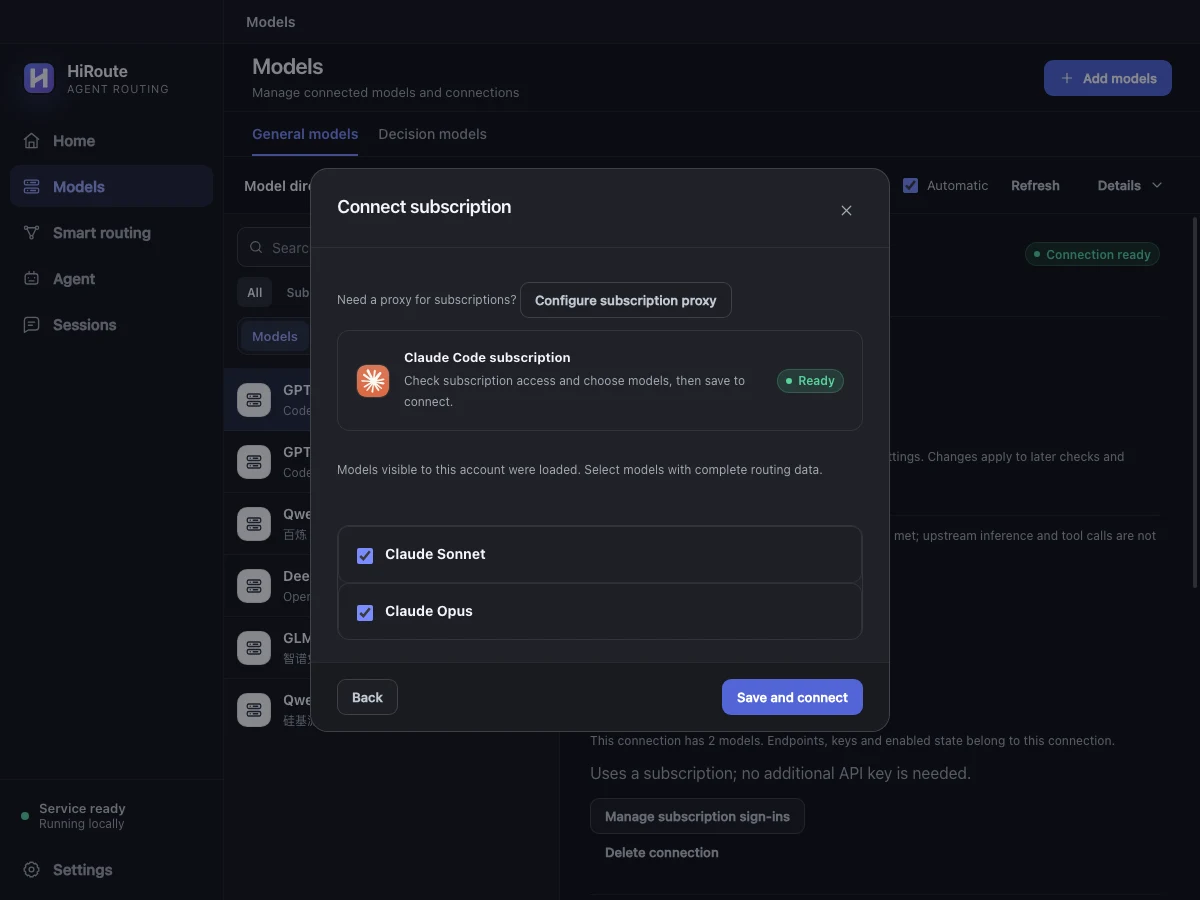
If you already signed in to Claude Code locally, use Add models → Scan this device, check the detected subscription and save its models. HiRoute can reuse file-based and macOS Keychain sign-ins. For an Anthropic API key, choose the service under New API connection, check it and save.
Connect Claude API credits from your subscription
Eligible Claude Max, Ultra and Team subscribers can claim Claude API credits. Link the credits to a Claude Console organization and create an API key there. When Claude Code uses the API candidate through HiRoute, the Console organization applies credits to the Claude API requests. Check eligibility, balance and expiry in the official Claude API credits guide.
- Select the models in the checked subscription. Enter the receiving organization's key under Anthropic API Key (optional), or choose a connection from that organization under Use an existing API connection.
- Click Save and connect. HiRoute imports the subscription models and their supported exact-ID counterparts from the API. For a saved subscription, select it in General models → Connections, then choose Associate an API connection or Edit association under Subscription and API.
- To budget API use around the credits, turn on Limit API spending during setup or later in the key's details. Use the provider's remaining credit amount and set a renewal schedule if the grant recurs. With model prices set, requests that exceed the local allowance can try the next available candidate. See API key allowances.
Next, put the subscription and API credit sources in one route.
2. Configure smart routing
- Open Smart routing → New smart routing, name the plan “Claude daily coding” and choose Difficulty routing.
- Click Add model in Regular models and choose a fast or economical model from step 1 for reading files, finding definitions and gathering facts.
- Add a model to Primary models for complex analysis, planning or changes across several files. Combine available models from different subscriptions, APIs or local connections as needed.
- Start with Heuristic rules under Decision method, then click Enable. The published route becomes available in the Agent settings in the next step.
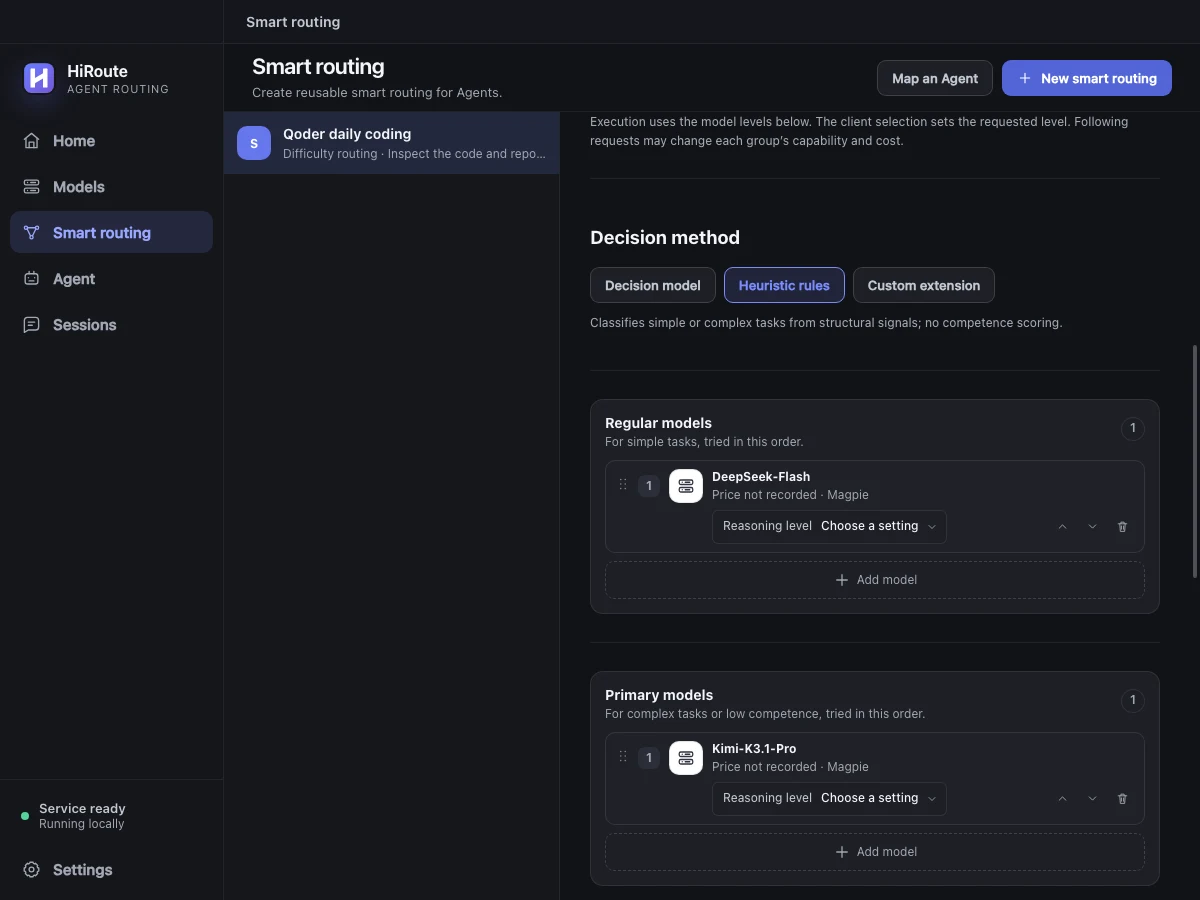
To adjust routing using execution feedback, select a decision model in the same section for stage scoring and low-score protection. Learn about difficulty decisions
Add the subscription and API credits as same-model candidates
To use one model across the two sources, create a Fixed model route. Open Models → General models and switch to the Models view. Open the model from the source you want to use first. Click Create routing, then Add together as candidates in Matching models found. Check that the list contains the subscription and API sources you want. Set their order and enable the route. For an existing fixed route, new candidates are appended. Reorder them in the editor and publish the changes. Map the published route to a Claude Code preset in the next step.
- Subscription first. Put the subscription first and let the API use credits when subscription quota is unavailable.
- Credits first. Put the API first when credits are close to expiring. Set a key allowance based on the credit balance so the subscription can take over when the allowance is too low.
For difficulty routing, use Add model to choose the subscription and API entries for the same model. Put both in the same Regular or Primary group and order the sources within that group.
3. Connect your Agent
Open Agent → Claude Code → Model routing and expand Advanced settings. Map the Sonnet preset to the route you published. You can also map Opus or Haiku to a route, then save.
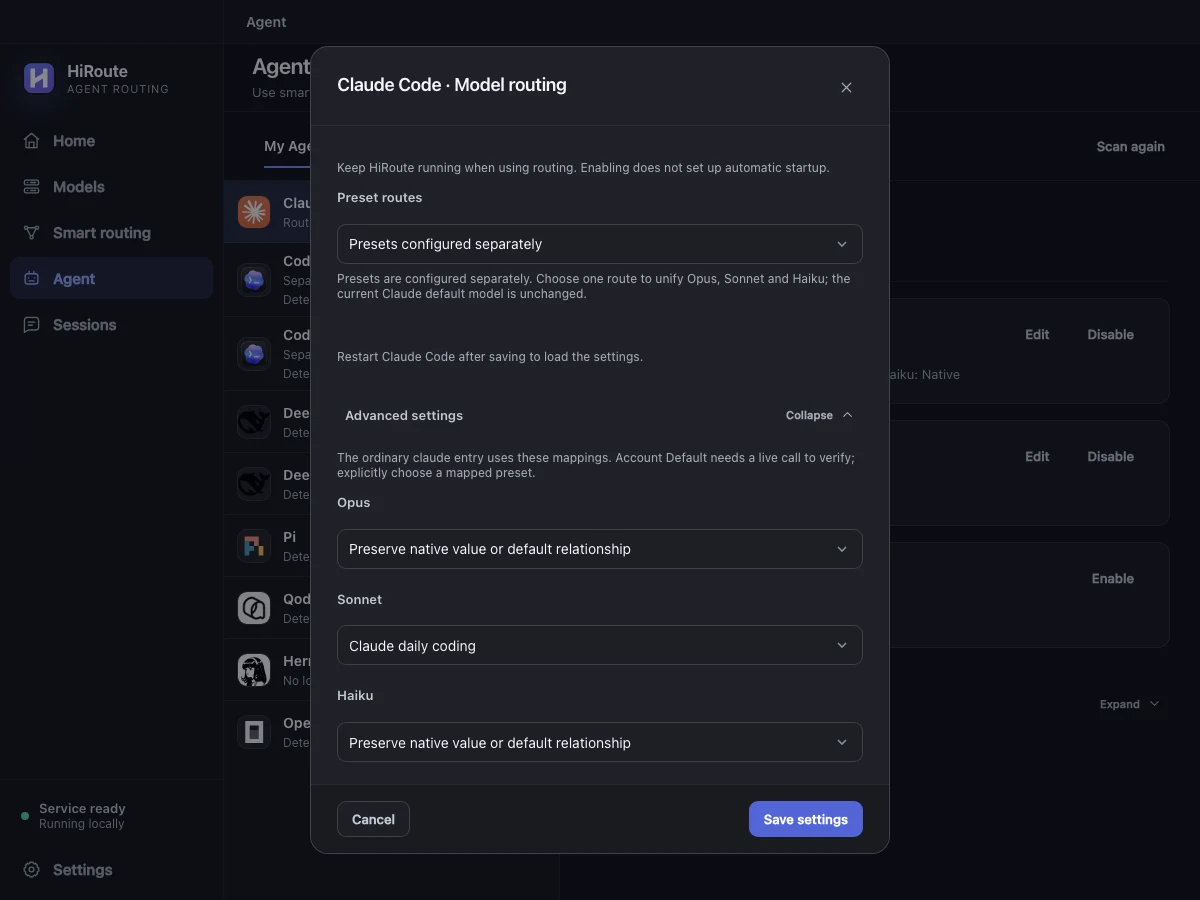
Restart claude, use /model to select the mapped preset and send a small task. HiRoute selects the model and source using your route. See the actual model choices in Sessions → Routing timeline.
4. Explore task delegation
When reviewing a large change, give lightweight Pi the first pass over the diff and tests. An economical model can read the files and identify coverage gaps. Claude Code gets the short findings and decides which gaps deserve new tests.
Create a Fixed model route called “Pi coverage gaps”. Under More settings → Task delegation, allow delegation and choose Pi, describe the tasks it should take and enable the route. Turn on Task routing for Claude Code in HiRoute.
Use HiRoute to delegate the coverage check for this diff to “Pi coverage gaps”. Return at most three findings with file locations and suggested cases.
Ask Claude Code to retrieve the findings and decide which tests to add. Configure Pi delegation and check its usage