

Hermes Agent model routing: reuse a profile and delegate coding to Codex
Keep chatting and coordinating in Hermes. Reuse model sources from its active profile, route straightforward questions to Regular and deeper reasoning to Primary, and send a scoped code change to Codex CLI.
Download HiRoute · Browse Agent guides
1. Scan or sign in to get models · 2. Configure smart routing · 3. Connect your Agent · 4. Explore task delegation
1. Scan or sign in to get models
In Agent → Hermes, confirm the profile and configuration directory you use. Open Models → General models → Add models → Scan this device. Select the same Hermes directory when needed, then check and save the detected API models.
To add models, enter the service address and key under New API connection, check it and save. Existing subscriptions and local model connections can also be used.
2. Configure smart routing
- Open Smart routing → New smart routing, name the plan “Hermes daily chat” and choose Difficulty routing.
- Click Add model in Regular models and choose a fast or economical model from step 1 for reading files, finding definitions and gathering facts.
- Add a model to Primary models for complex analysis, planning or changes across several files. Combine available models from different subscriptions, APIs or local connections as needed.
- Start with Heuristic rules under Decision method, then click Enable. The published route becomes available in the Agent settings in the next step.
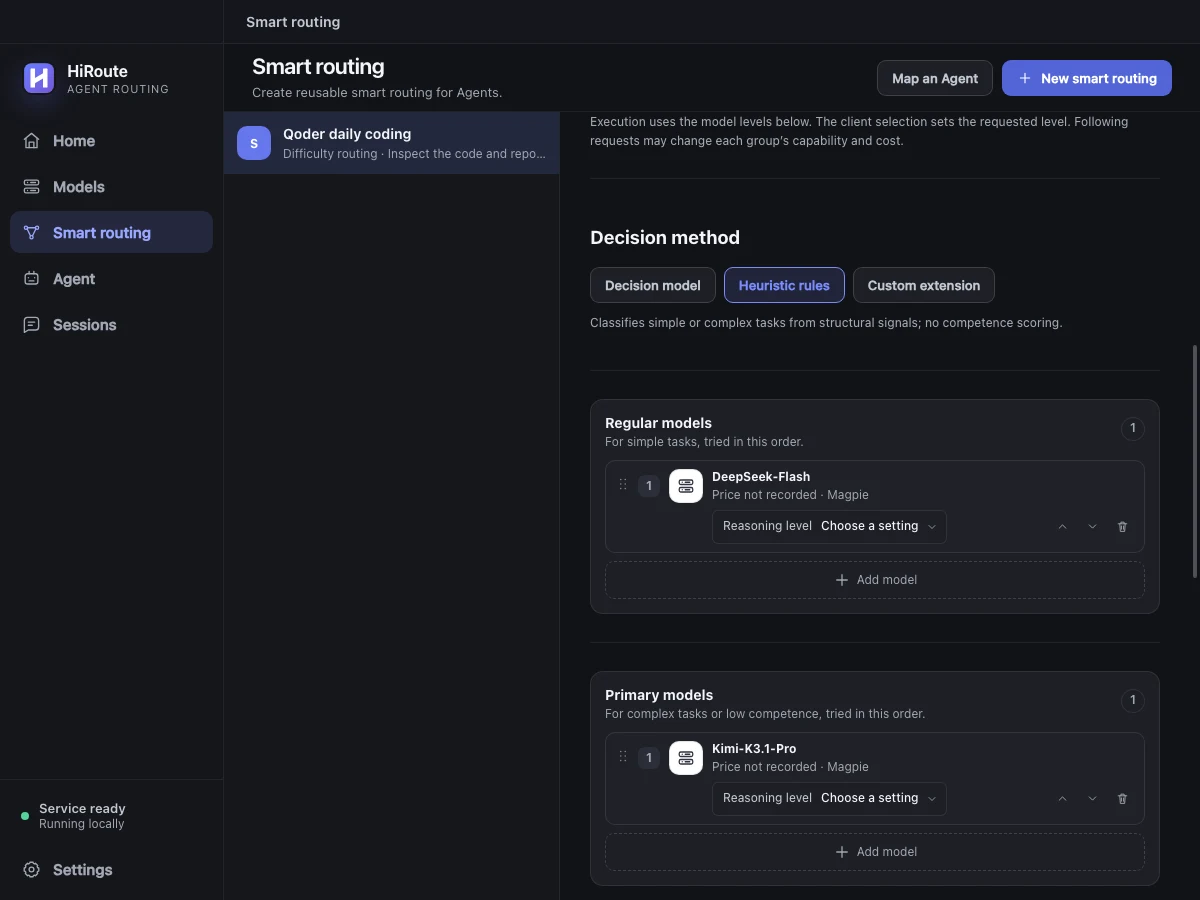
To adjust routing using execution feedback, select a decision model in the same section for stage scoring and low-score protection. Learn about difficulty decisions
3. Connect your Agent
Open Agent → Hermes → Model routing, confirm the configuration directory and select “Hermes daily chat” as that profile's default main model. Choose the protocol and save.
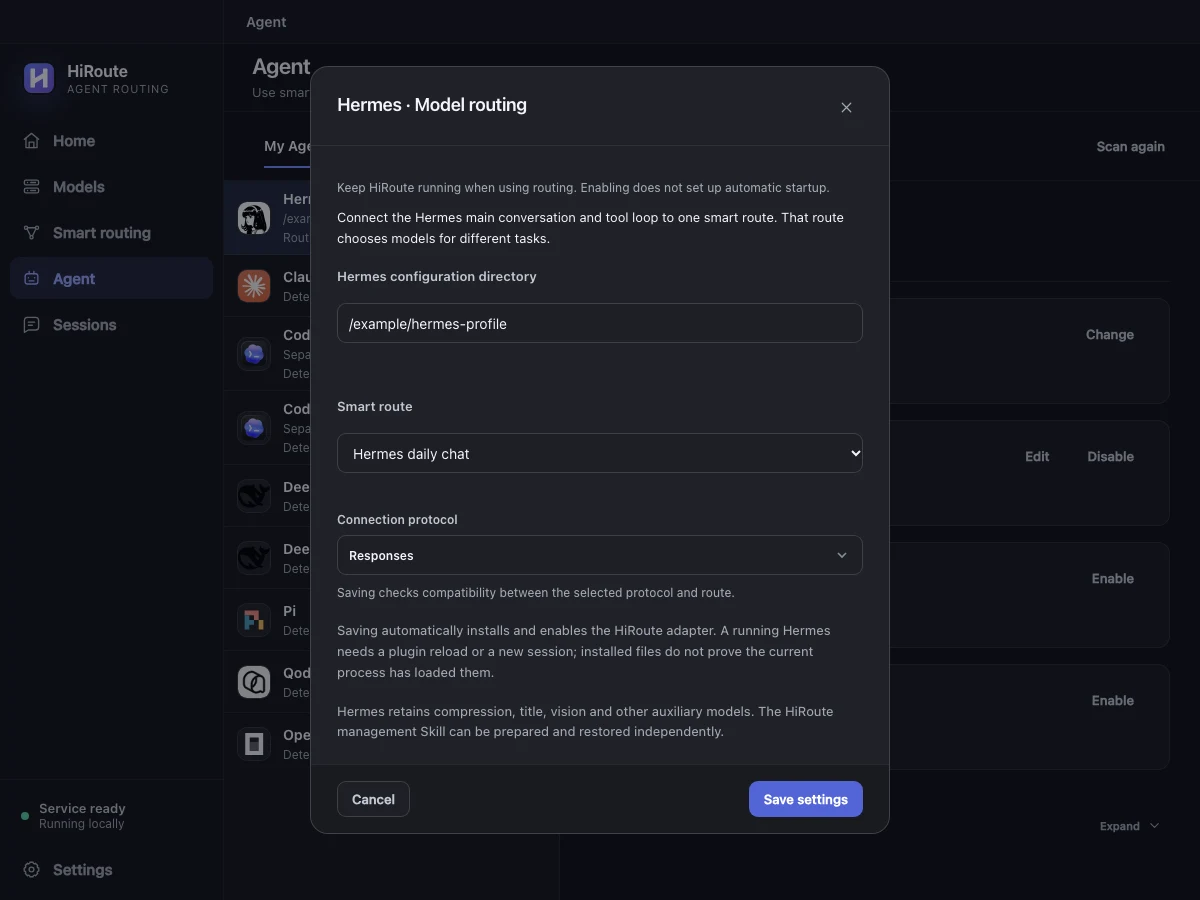
Reload Hermes as prompted and open a new conversation. Ask it to organize a short document, then inspect the models used in HiRoute's Sessions → Routing timeline.
4. Explore task delegation
When Hermes writes a weekly update, send the release notes and working notes to lightweight Pi to extract changes, action items and sources. An economical model reads the documents. Hermes gets a short briefing and decides what belongs in the update.
Create a Fixed model route called “Pi weekly briefing”. Under More settings → Task delegation, allow delegation and choose Pi, describe its purpose and enable it. Turn on Task routing for the Hermes profile you use.
Use HiRoute to send these notes to “Pi weekly briefing”. Return up to three changes and three action items with source references.
Let Hermes use the briefing in its update. A separate route bound to Codex CLI can handle a focused implementation. Set up lightweight Pi delegation