

Connect your Agent to HiRoute
Keep the Agent you work in and combine your subscriptions, APIs or local models in one route. Let an economical model read code and gather facts, bring in your primary model for harder turns, and hand independent work to another Agent when its tools suit the job.
Download HiRoute · Get started with HiRoute
Pick the Agent you use
Every guide follows the same four steps: get models, configure smart routing, connect your Agent, and explore task delegation. Routing instructions and screenshots are included on each page.
- Codex subscription and API credit routing
Combine subscription and API credit candidates, then use the route in a separate Codex Desktop window or CLI.
- Claude Code subscription and API credit routing
Set fallback order for the same model and map the route to an Opus, Sonnet or Haiku preset.
- Qoder CLI and subscription models
Discover models through Magpie, configure routing and use Qoder CLI or Codex Desktop.
- Pi model routing
Import models from Pi, select the route with
/modeland delegate verification to Codex CLI. - DeepSeek Harness model routing
Pick a route in Web or Desktop, or let DeepSeek Harness execute a delegated task.
- OpenCode model routing
Reuse existing API settings, add a route to
/modelsand ask Pi for an independent check. - Hermes Agent model routing
Reuse models from your active Hermes profile and hand coding tasks to Codex CLI.
Connect more model sources
- WorkBuddy models in Pi or Codex CLI
Bring in your WorkBuddy catalog and set up a route for document review.
- Headless Magpie model sources
Start the local gateway, read the catalog and connect it to HiRoute.
From model sources to an execution Agent
- Connect models. In Models → General models → Add models, connect a subscription, scan supported configurations on the device or add an API. If Magpie is already running, add its local API.
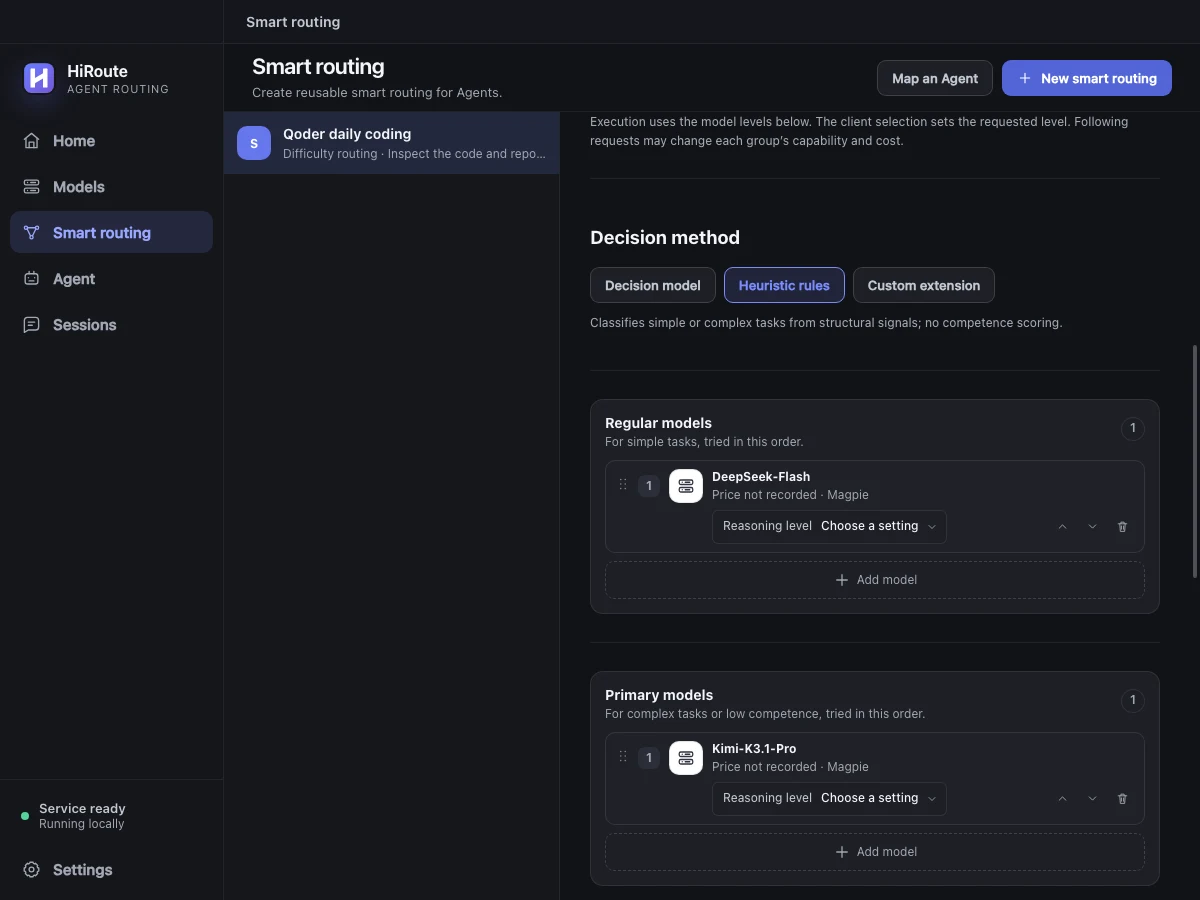
- Route by difficulty. Choose Difficulty routing under Smart routing and add Regular and Primary models. Start with heuristic rules if you want local decisions. Add a decision model for stage scoring and low-score protection. See model routing.
- Connect your Agent. Map the published route to your everyday Agent and select it in the client's model picker.
- Delegate when needed. Bind an executor in a plan and enable Task routing in the main Agent. Try a lightweight Pi route for log triage or test checks.
Start with a small task. See which models ran in Sessions → Routing timeline, and see the executor and outcome in Agent → Task history. Follow the delegation walkthrough